Live reload is a handy feature that lets developers see code changes instantly. It removes the need to manually stop and restart the server after every update.
Since Go is a compiled language, we cannot reload code in the same way as some interpreted runtimes. But after seeing many developers recommend it, I tried this setup and found it very useful.
That is why I am sharing something I recently learned.
What Is Air?
Air is a live reload tool for Go developers. It watches your codebase and automatically rebuilds and restarts your app whenever files change.
Without a tool like this, a common Go workflow is:
- Stop the running app
- Rebuild or rerun
- Start it again
Doing that repeatedly can slow development and break focus.
With Air, you get:
- Automatic reloading: Air watches your Go files and refreshes the server on save.
- Streamlined workflow: No more manual stop/start cycle after each small change.
- Better developer experience: You stay focused on coding instead of process management.
Install Air
Install Air with Go:
go install github.com/cosmtrek/air@latest
If you use Homebrew on macOS:
brew install cosmtrek/tap/air
Then verify the installation:
air -v
Set Up and Run Air
- Go to your project root.
- Generate a default
.air.tomlconfig:
air init
- This creates
.air.toml, where you can customize watched directories, file extensions, and build commands. The default is usually good enough to start. You can explore more options here. - Start Air:
air
Air will detect file changes, rebuild, restart your app, and print any errors in the terminal.
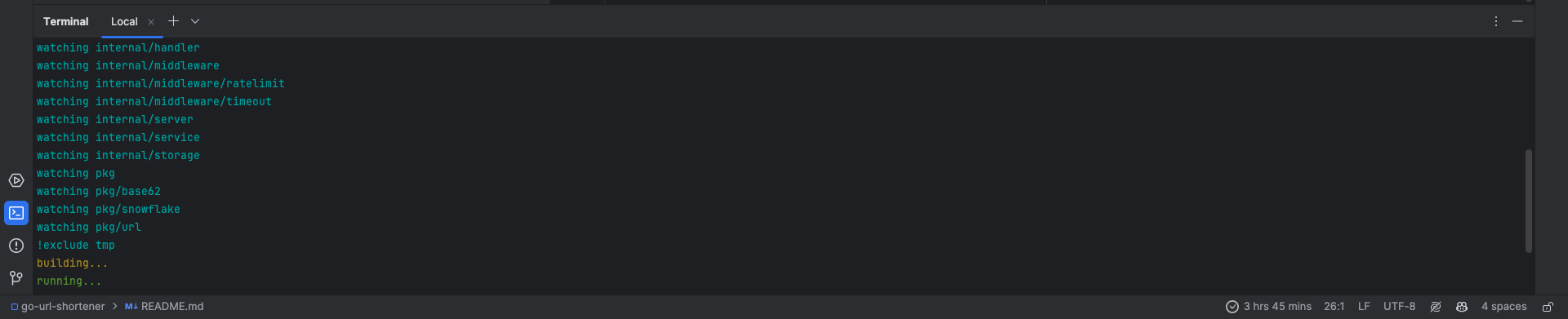
You can also check this repo to see my Go project config.
Conclusion
That is all for this Christmas post.
I hope this helps if you are setting up a smoother Go development workflow. If you need help, feel free to message me.

Let’s connect on Twitter and LinkedIn.
Thanks for reading. Merry Christmas, and see you soon.